The world of Grand Theft Auto has always been about more than fast cars, exciting missions, and massive open-world adventures. It’s also about personality, fashion, creativity, and unforgettable characters.
With Grand Theft Auto VI (GTA 6) now available, fans are exploring Vice City, discovering its characters, and sharing their gaming experiences across social media.
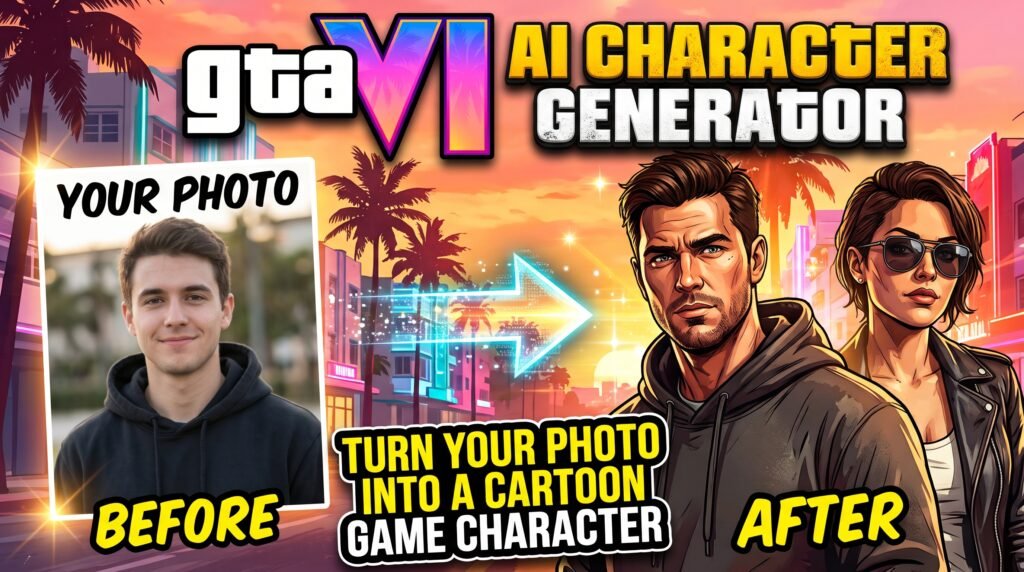
But here’s another fun way to enjoy the GTA universe: create your own GTA-inspired cartoon character!
Whether you want a stylish street character, a cool getaway driver, a club personality, or a completely unique gaming avatar, you can experiment with different looks using our free online Character Studio.
Create Your Own GTA-Inspired Character
Want to create a character with a colorful, cartoon-style crime-city aesthetic?
You don’t need complicated graphic design software or professional editing skills.
With ScriptAndTools Character Studio, you can choose from original characters and customize their appearance directly in your browser.
The tool gives you several creative options:
- Character selection: Choose from 10 original characters or start with a blank character.
- Hair and appearance: Experiment with different character looks.
- Outfits: Customize clothing to create your preferred style.
- Gear and accessories: Add glasses, hats, extras, and props.
- Backgrounds: Give your character a suitable scene.
- Meme customization: Add your own top and bottom text.
- Stickers: Decorate your character with creative stickers.
Once you’re happy with your design, download your creation as a PNG image or copy a shareable link.
How to Make Your Own Cartoon Character
Creating your character is simple. Follow these steps:
Step 1: Open Character Studio
Visit the free Character Studio page on ScriptAndTools.
You can start creating without installing software or registering an account.
Step 2: Choose Your Character
Select one of the available original characters or start with a blank design.
You can experiment with different character types and find one that matches your personality.
Step 3: Customize Your Look
Explore the customization options to change your character’s appearance.
Try different outfits, hairstyles, accessories, and gear combinations until you find a look you like.
Step 4: Choose a Background
Select a background that complements your character.
You can create a unique coastal-city atmosphere and experiment with different visual combinations.
Step 5: Add Text and Stickers
Want to make a funny gaming meme?
Use the Meme and Stickers options to add text and decorative elements to your design.
Step 6: Download and Share
When your design is ready, download your character as a PNG image or copy its share link.
You can use your creation as a profile picture, social media post, gaming meme, or simply share it with friends.
Why Are GTA-Inspired Cartoon Characters So Popular?
One of the most interesting parts of gaming culture is how players express their personalities outside the game.
People enjoy creating custom avatars, sharing character artwork, making memes, and turning gaming-inspired ideas into social media content.
The popularity of GTA VI has created even more opportunities for creative fan content.
Some popular ideas include:
- GTA-inspired cartoon profile pictures.
- Custom crime-city character designs.
- Funny gaming memes.
- Unique character outfit combinations.
- Gaming-themed social media artwork.
- Personalized fictional character concepts.
You don’t always need to play a game to enjoy its creative community. Sometimes creating something inspired by your favorite gaming aesthetic is just as entertaining.
Can You Create Your Own GTA-Style Character for Free?
Yes! You can experiment with different character designs using ScriptAndTools Character Studio without paying for access.
The tool works directly in your browser and doesn’t require additional software.
You can use it on:
- Desktop computers
- Laptops
- Android phones
- iPhones
- Tablets
Your character design is created in the browser, and you can download the finished image or share a link containing your design.
Start Creating Your Own Character Today!
Ready to experiment with your own cartoon-style gaming character?
Visit ScriptAndTools Character Studio and start building a unique look.
Create Your Character for Free →
Choose a character, experiment with outfits and accessories, add your favorite stickers, and create something worth sharing.
Your imagination is the limit!
Frequently Asked Questions
1. What is a GTA 6 character creator?
A character creator is a tool that allows users to design and customize fictional characters. ScriptAndTools Character Studio offers an original character customization experience with outfits, accessories, backgrounds, text, and stickers.
2. Can I create a GTA-inspired cartoon character online?
Yes. You can use ScriptAndTools Character Studio to customize original cartoon-style characters directly in your web browser.
3. Is Character Studio free?
Yes. Character Studio is free to use, with no registration required.
4. Can I download my customized character?
Yes. You can download your finished design as a PNG image or copy a shareable link.
5. Can I use Character Studio on my mobile phone?
Yes. The tool supports desktop, tablet, and mobile browsers.
6. Are the characters official GTA 6 characters?
No. The characters in ScriptAndTools Character Studio are original creations. They are not official Rockstar Games characters.
7. Can I create gaming memes with Character Studio?
Yes. You can add custom text and stickers to your character designs to create entertaining gaming-inspired memes.
Disclaimer: ScriptAndTools is an independent creative tools platform and is not affiliated with, endorsed by, or associated with Rockstar Games or Take-Two Interactive. Grand Theft Auto and GTA are trademarks of their respective owners.
scriptandtools
We build and maintain the 90+ free tools on Script & Tools, and write about the workflows they're built to speed up.