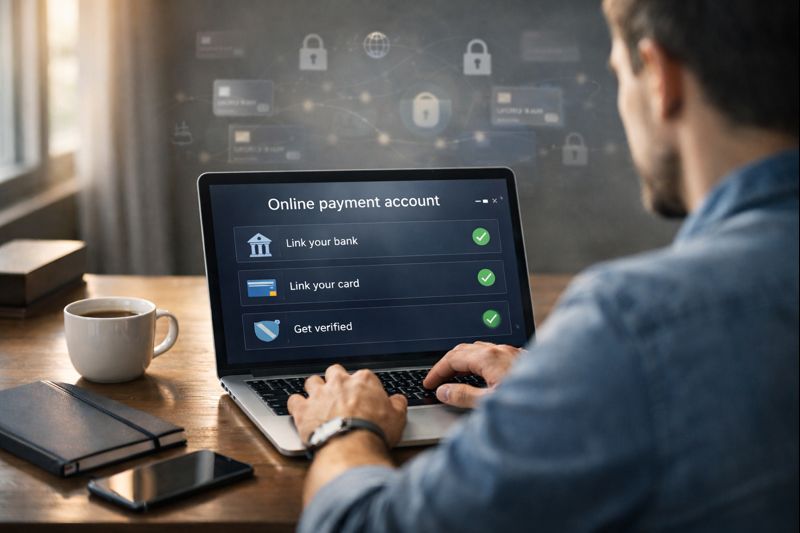
Online payments are the backbone of modern digital businesses. Whether you are a freelancer, an online store owner, a SaaS founder, or a service provider, you need a trusted and globally accepted payment system.
One of the most widely used platforms in the world is PayPal Setup Guide.
This PayPal Setup Guide explains everything you need to know — from creating an account to accepting payments, linking banks, understanding fees, securing your account, and using PayPal professionally PayPal Setup Guide.
If you’re new to PayPal or want to optimize your setup for business growth, this guide is for you PayPal Setup Guide.
What Is PayPal?
PayPal is a global online payment platform that allows individuals and businesses to:
Send and receive money worldwide
Accept card payments (Visa, Mastercard, AmEx)
Receive payments without sharing bank details
Integrate payments into websites and apps
Handle subscriptions and recurring billing
PayPal operates in 200+ countries and supports multiple currencies, making it one of the most trusted payment systems globally PayPal Setup Guide.
Why Use PayPal?
Global Trust & Recognition
PayPal is accepted by millions of businesses and customers worldwide. Many buyers trust PayPal more than direct card payments.
Easy Setup
You can create a PayPal account in minutes without technical skills.
Buyer & Seller Protection
PayPal offers dispute resolution and protection policies that add trust for both parties.
Multiple Payment Options
Customers can pay using:
PayPal balance
Credit/debit cards
Bank accounts
Types of PayPal Accounts
1. Personal PayPal Account
Best for:
Individuals
Freelancers receiving occasional payments
Online shopping
Features:
Send & receive money
Shop online securely
Limited business tools
2. PayPal Business Account
Best for:
Businesses
Freelancers & agencies
eCommerce stores
SaaS products
Features:
Accept payments under business name
Invoice clients
Website & app integration
Payment buttons & APIs
Multiple user access
Recommended if you plan to earn money online regularly
How to Set Up a PayPal Account (Step-by-Step)
Step 1: Visit PayPal Website
Go to PayPal’s official website and click Sign Up.
Step 2: Choose Account Type
Select:
Personal or
Business
Choose business if you plan to accept payments professionally.
Step 3: Enter Email & Password
Use a professional email address you control permanently.
Step 4: Enter Personal or Business Information
You’ll be asked for:
Full name / business name
Address
Phone number
Make sure all details are accurate.
Step 5: Verify Email Address
PayPal sends a verification email.
Click the confirmation link to activate your account.
Linking Bank Account & Card
Why Link a Bank Account?
Withdraw PayPal balance
Increase account trust
Reduce limitations
Steps:
Go to Wallet
Click Link a bank
Enter bank details
Confirm using small deposit or instant verification
Linking a Card
You can also link:
Debit card
Credit card
Useful for:
Making payments
Backup funding source
PayPal Account Verification
Verification is critical to avoid limits.
PayPal may ask for:
CNIC / ID / Passport
Proof of address
Business documents (for business accounts)
Why Verification Matters
Higher sending & receiving limits
Reduced account holds
Increased trust
How to Receive Money on PayPal
You can receive payments via:
PayPal email address
PayPal invoices
Website checkout
Payment links
Clients only need your PayPal email.
Creating & Sending PayPal Invoices
PayPal allows professional invoicing:
Steps:
Go to Invoices
Add client email
Enter service details & amount
Send invoice
Clients can pay via card or PayPal instantly.
PayPal Fees Explained
Receiving Payments
Typical fee:
~2.9% + fixed fee (varies by country)
International Payments
Additional cross-border fee
Currency conversion markup
Currency Conversion
PayPal applies a conversion margin, which is higher than some alternatives.
Always review fee structure in your region.
PayPal for Freelancers
PayPal is popular among freelancers because:
Clients already trust it
Easy international payments
Fast setup
Tip:
Always invoice clearly and maintain transaction records to avoid disputes.
PayPal for eCommerce Websites
PayPal can be integrated with:
WordPress + WooCommerce
Shopify
Magento
Custom websites
Integration methods:
PayPal Checkout
Smart Payment Buttons
REST APIs
PayPal Security Best Practices
Enable Two-Factor Authentication (2FA)
Protects your account from unauthorized access.
Use Strong Passwords
Avoid reusing passwords from other platforms.
Monitor Transactions
Check activity regularly and report suspicious actions.
Avoid Public Wi-Fi
Never log into PayPal on insecure networks.
Common PayPal Issues & Solutions
Account Limited
Usually due to:
Missing documents
High transaction volume
Policy review
Solution: Upload required documents immediately.
Payments on Hold
Common for new sellers.
Solution:
Add tracking info
Confirm delivery
Build transaction history
Currency Conversion Loss
PayPal exchange rates include markup.
Solution:
Invoice in your local currency
Compare with multi-currency solutions when needed
PayPal vs Other Payment Methods
| Feature | PayPal | Bank Transfer |
|---|---|---|
| Setup Speed | Fast | Slow |
| Global Reach | Very High | Limited |
| Fees | Medium | Low |
| Buyer Trust | High | Medium |
PayPal excels in convenience and trust, but may not always be the cheapest.
FAQs PayPal Setup Guide
Is PayPal free to use?
Creating an account is free. Fees apply when receiving payments.
Can I use PayPal without a bank?
Yes, but linking a bank is recommended for withdrawals.
Is PayPal safe?
Yes, PayPal uses advanced encryption and fraud monitoring.
Can businesses use PayPal?
Yes PayPal Business is designed for companies.
PayPal remains one of the most reliable and widely accepted online payment platforms in the world.
If you want:
Fast setup
Global reach
Buyer trust
Easy integration
Then PayPal is an excellent choice especially for beginners.
However, understanding fees verification and security is essential for long term success.
Receive International Money Through Wise Fees Setup
scriptandtools
We build and maintain the 100+ free tools on Script & Tools, and write about the workflows they're built to speed up.