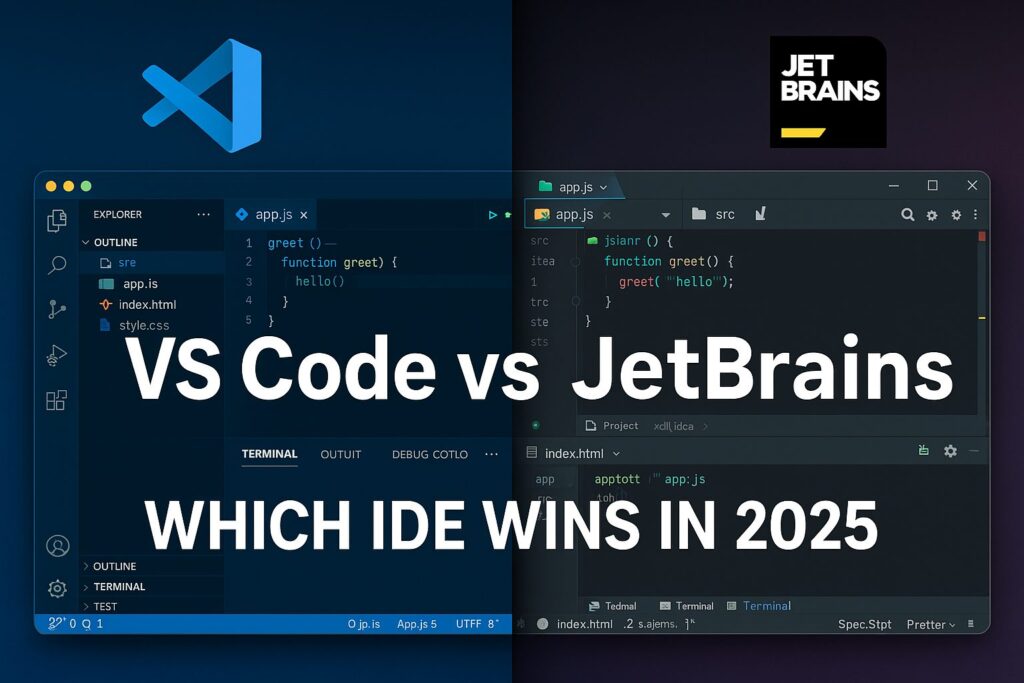
VS Code vs. JetBrains: Which IDE Should You Use?
Introduction
VS Code vs JetBrains Choosing the right Integrated Development Environment (IDE) is a crucial decision for every developer. VS Code vs JetBrains Whether you’re just starting out in coding or have been in the game for years, the tools you use can greatly influence your productivity, code quality, and overall development experience. VS Code vs JetBrains Among the most debated IDEs in the developer community are Visual Studio Code (VS Code) and JetBrains IDEs like IntelliJ IDEA, PyCharm, WebStorm, and more.
In this guide, we’ll do a detailed comparison between VS Code vs JetBrains, helping you decide which one best suits your needs in 2025.
1. Quick Overview
| Feature | VS Code | JetBrains IDEs |
|---|---|---|
| Developer | Microsoft | JetBrains |
| Type | Lightweight Editor | Full-featured IDE |
| Supported Languages | Almost All (via extensions) | Specialized IDEs (Java, Python, JS, etc.) |
| Cost | Free | Paid (with free Community Editions) |
| Performance | Fast, Lightweight | Heavier, Resource-Intensive |
| Extensions | Thousands available | Plugin support, but less diverse |
| Debugging | Built-in, configurable | Advanced and ready out-of-box |
2. User Experience & UI
VS Code
Minimalist and highly customizable.
Lightweight and fast.
Clean interface, especially for beginners.
Requires configuration to match JetBrains-level features.
JetBrains IDEs
Rich UI with tons of built-in tools.
More intuitive for debugging, refactoring, and testing.
Polished experience for larger codebases.
May feel cluttered or slow on low-end machines.
External Resource: JetBrains IDE Comparison Matrix
3. Language Support
VS Code VS Code vs JetBrains
Supports almost every language via extensions:
JavaScript/TypeScript
Python
Java
C++
PHP
Go
Rust, and more
VS Code vs JetBrains
You have to manually install and configure most language features like linters, formatters, etc.
JetBrains
Offers dedicated IDEs for:
Java (IntelliJ IDEA)
Python (PyCharm)
JavaScript (WebStorm)
PHP (PhpStorm)
C++ (CLion)
Go (GoLand)
- VS Code vs JetBrains
Out of the box, these IDEs provide:
Deep language support
Autocompletion
Debugging
Testing frameworks
- VS Code vs JetBrains
Winner for Serious Projects: JetBrains
4. Performance and Resource Usage
VS Code
Starts fast
Uses significantly less RAM
Runs smoothly even on low-end systems
- VS Code vs JetBrains
JetBrains
Heavier memory and CPU usage
May slow down on large projects or older machines
Background indexing can eat resources
If You’re Using a Basic or Mid-range PC: Choose VS Code
5. Extensions & Plugins
VS Code
Massive extension marketplace
Extensions for Git, Docker, Themes, etc.
Often maintained by the community
Can cause performance issues if overused
JetBrains
Plugin support is solid but not as expansive
High-quality official plugins
Less reliance on external extensions since most features are built-in
If You Love Tinkering with Tools: VS Code wins
6. Debugging & Testing
VS Code
Built-in debugger
Highly configurable
Needs configuration for frameworks
Supports testing via extensions (e.g., Jest, PyTest)
JetBrains
Powerful debugger out of the box
Integrated testing and coverage tools
Best-in-class for TDD and BDD workflows
Seamless experience with languages and frameworks
Best for Debugging & Testing: JetBrains IDEs
7. Git & Version Control
VS Code
Built-in Git support
GitLens extension adds detailed insights
Simple GUI for staging, commits, and push
JetBrains
Robust version control tools
Visual history, conflict resolution, and patch handling
Integrated changelists and code review features
For Git Power Users: JetBrains offers deeper integration
8. Collaboration Features
VS Code
Live Share is excellent for real-time coding with others
Easy integration with GitHub
Popular among open-source communities
JetBrains
Supports Code With Me for real-time collaboration
Enterprise-grade tools for teams
Includes built-in task tracking, database tools, and shared development features
Best for Team Development: JetBrains (especially for companies)
9. Cost Comparison
VS Code
Free, open-source
All core features available at no cost
Extensions also mostly free
JetBrains
Paid license (monthly or yearly)
Free Community Editions for IntelliJ IDEA and PyCharm
Discounted for students, open-source, and startups
Budget Friendly: VS Code
10. Customization & Themes
VS Code
Fully customizable themes, keybindings, and workspace
Settings Sync across machines
DevContainers and Remote SSH
JetBrains
Customizable UI, themes, keymaps
IntelliJ-based themes like Darcula are popular
Not as light or snappy as VS Code in appearance
Best for Theming & Personalization: VS Code
11. Community & Support
VS Code
Massive open-source community
Thousands of tutorials, Stack Overflow threads, and YouTube guides
Maintained by Microsoft
JetBrains
Professional documentation
Premium support with licenses
Vibrant developer forums
For Learning & Community Help: VS Code wins by sheer numbers
12. Use Cases: Who Should Use What?
| User Type | Ideal IDE |
|---|---|
| Beginners | VS Code (lightweight, flexible) |
| Students | VS Code or JetBrains Community Edition |
| Professional Developers | JetBrains (advanced features) |
| Data Scientists | PyCharm or VS Code (Jupyter support) |
| Frontend Developers | WebStorm or VS Code |
| Java Developers | IntelliJ IDEA |
| Open Source Contributors | VS Code |
| Remote Teams | JetBrains + Code With Me or VS Code + Live Share |
13. Popularity in 2025
As of 2025, here’s the trend:
VS Code remains the most widely adopted IDE globally.
JetBrains IDEs are growing fast in enterprise settings due to robust features and support.
Many developers use both: JetBrains for serious development and VS Code for light edits or quick tasks.
Stack Overflow Developer Survey 2025
14. Final Verdict: Which One Should You Choose?
Choose VS Code if:
You want a lightweight and fast editor.
You’re learning to code.
You frequently work in multiple languages or short projects.
You prefer open-source and free tools.
Choose JetBrains IDEs if:
You work on large, long-term projects.
You need deep language-specific support.
You care about advanced debugging, testing, and profiling tools.
You’re working in enterprise or team environments.
15. FAQs
Is VS Code better than IntelliJ?
Depends on your needs. For lightweight and versatility, yes. For deep Java support, IntelliJ wins.
Can I use both?
Yes! Many developers use VS Code for quick tasks and JetBrains IDEs for main development.
Are JetBrains IDEs free?
Some like IntelliJ IDEA Community and PyCharm Community are free, but advanced features require a paid plan.
16
External Resources:
There’s no one-size-fits-all solution. VS Code and JetBrains both shine in their own way. Choose based on your goals, system capabilities, and development style. You can even mix them in your workflow!
scriptandtools
We build and maintain the 100+ free tools on Script & Tools, and write about the workflows they're built to speed up.