Instagram Template in HTML, CSS, and JavaScript – Responsive Design
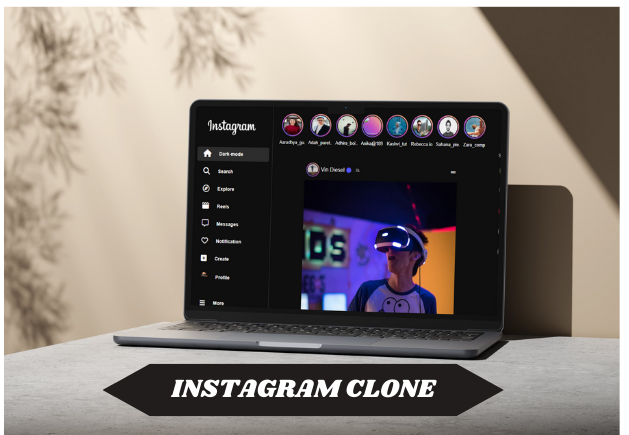
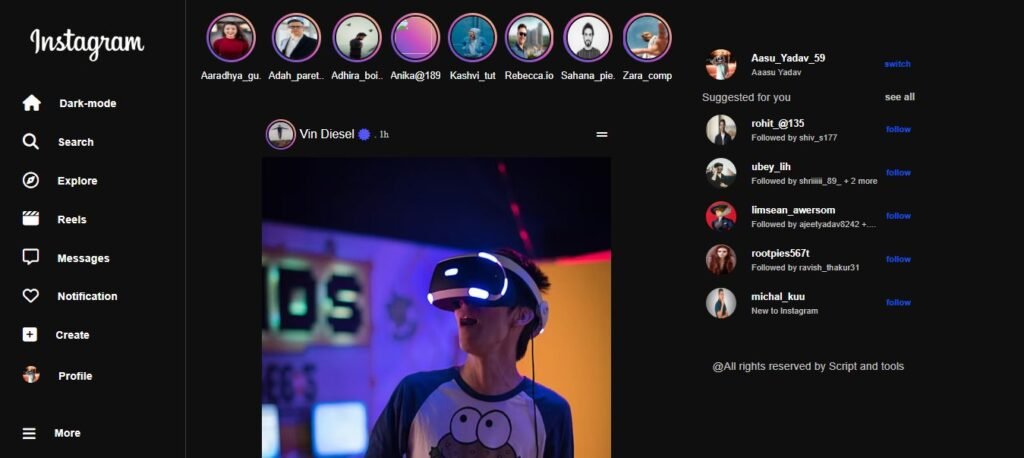
A responsive Instagram Template in HTML, CSS, and JavaScript. The Instagram Template offers a sleek and interactive design, resembling the Instagram interface. It includes a profile page, feed layout, and engaging features such as story highlights and interactive posts. Features: Technologies Used: Installation Guide: Using XAMPP Using Laragon With this guide, you can easily set up and run your Instagram Template in HTML, CSS, and JavaScript locally using XAMPP or...
Product Preview
1 images
Detailed Description
A responsive Instagram Template in HTML, CSS, and JavaScript. The Instagram Template offers a sleek and interactive design, resembling the Instagram interface. It includes a profile page, feed layout, and engaging features such as story highlights and interactive posts.

Features:
- Fully responsive design for mobile and desktop.
- Profile page with story highlights.
- Grid layout for post feed.
- Unique navigation bar with sections like Explore.
- Interactive animations powered by JavaScript.
Technologies Used:
- HTML: Structures the user interface. Learn more about HTML
- CSS: Styles the layout, animations, and responsiveness. Explore CSS
- JavaScript: Adds interactivity, dynamic behavior, and animations. Read about JavaScript
Installation Guide:
Using XAMPP
- Download and Extract Files:
- Download the Instagram Template in HTML, CSS, and JavaScript files and unzip the folder on your computer.
- Copy the Project Folder:
- Move the extracted folder into the
htdocsdirectory inside your XAMPP installation. - Example:
C:\xampp\htdocs\instagram-clone
- Move the extracted folder into the
- Start XAMPP Services:
- Open the XAMPP Control Panel.
- Start Apache and MySQL services. Get more help from XAMPP documentation .
- Access the Project:
- Open a browser and enter:
http://localhost/instagram-clone
- Open a browser and enter:
Using Laragon
- Download and Extract Files:
- Unzip the Instagram Template in HTML, CSS, and JavaScript files on your local computer.
- Copy the Project Folder:
- Move the extracted folder into the
wwwdirectory inside your Laragon installation. - Example:
C:\laragon\www\instagram-clone
- Move the extracted folder into the
- Start Laragon Services:
- Open Laragon and click on the “Start All” button. For additional guidance, visit Laragon
- Access the Project:
- Press the “Web” button in Laragon or enter:
http://localhost/instagram-clone
- Press the “Web” button in Laragon or enter:
With this guide, you can easily set up and run your Instagram Template in HTML, CSS, and JavaScript locally using XAMPP or Laragon. Enjoy exploring the responsive and interactive features of this template!
Key Features
Fully Responsive
Works perfectly on all devices and screen sizes
Cross-Browser
Compatible with all modern browsers
Clean Code
Well-documented and easy to customize
Fast Loading
Optimized for speed and performance
Customizable
Easy to modify colors, fonts, and layouts
Great Support
Dedicated support team ready to help
Installation Guide
Download the Product
Click the download button to get the ZIP file. Extract it to a folder on your computer.
Upload to WordPress
Go to your WordPress admin panel → Appearance → Themes → Add New → Upload Theme
Activate & Configure
Click activate and configure the settings according to your needs in the Customizer.
Start Using
Your product is now ready! Start creating amazing content with your new tool.
Version History
- NEW Added dark mode support
- IMPROVED Performance optimization
- FIXED Mobile navigation issues
- NEW Added custom widgets
- IMPROVED Better documentation
