css · Premium
Responsive Online Shop Store in PHP & MySQL eCommerce Website Free Download
Get a responsive online shop store with PHP & MySQL. Enjoy user-friendly navigation, secure payments, and an intuitive admin dashboard.
Explore our PHP Content Management System featuring super admin, admin, and user roles for easy management of news content and user profiles.


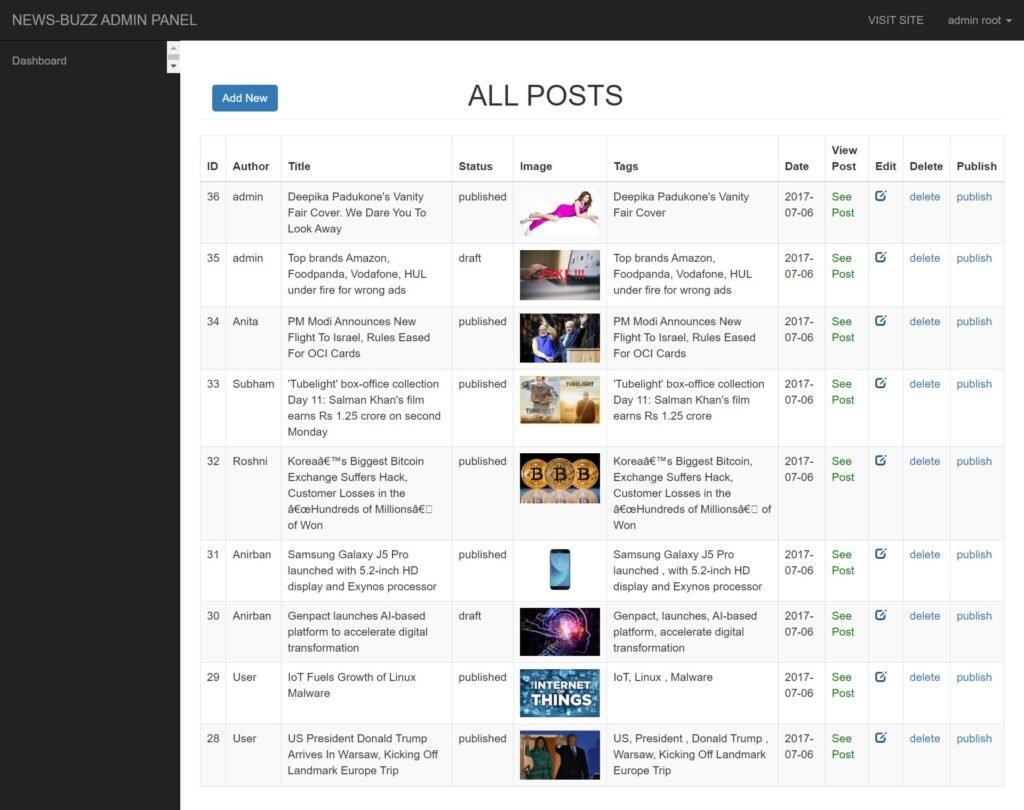

Content Management System in PHP is a versatile web application designed to empower users to post and manage various types of news content effortlessly. The system is divided into two primary sections: the admin side and the user side, catering to different roles within the platform.
The administration framework features three distinct user roles: super admin, admin, and normal user (editor). The super admin possesses comprehensive authority, enabling them to add and manage all users, oversee news posts, and edit their own profile details. The admin role has the ability to manage normal editors, as well as their own posts and profiles, ensuring effective content oversight.
Meanwhile, the normal user (editor) can focus solely on managing their own posts and profile, allowing them to contribute to the platform without unnecessary complexities. This structured approach to user roles ensures that each admin type has a specific and crucial function within the content management system.
By offering a user-friendly interface and clear role distinctions, this Content Management System in PHP simplifies the process of content creation and management, making it an ideal solution for organizations or individuals looking to maintain an organized news platform. This project not only enhances collaboration among users but also ensures that content is efficiently managed and easily accessible.
You can run this project in the following operating systems:
After Starting Apache and MySQL in XAMPP, follow the following steps:
1st Step: Extract file
2nd Step: Copy the main project folder
3rd Step: Paste in xampp/htdocs/
4th Step: Open a browser and go to the URL “http://localhost/phpmyadmin/”
5th Step: Click on the Databases tab
6th Step: Create a database named “cms” and then click on the import tab
7th Step: Click on browse the file and select “cms.sql” file which is inside “DATABASE” folder
8th Step: Click on go.
9th Step: Open a browser and go to URL “http://localhost/CONTENT_MANAGEMENT_SYSTEM_IN_PHP/”
You get the full source files shown in "What's Included" above, ready to use in your own project.
Yes — personal and commercial use are both covered.
Reach out through the contact page and a real person on the WebPenter team will get back to you.
Get a responsive online shop store with PHP & MySQL. Enjoy user-friendly navigation, secure payments, and an intuitive admin dashboard.
This document provides an overview of the structure and functionality of the HTML file for a Real Estate Agency Free Download. It describes the key sections and their purpose, ensuring an optimized user experience and SEO-friendly implementation. Body Section The main content of the page, including text, images, forms, and interactive elements, structured for readability and engagement. Key Components Navigation Bar Provides links to different sections of the website for...
Free Download the Sports HTML5 Bootstrap Template! A modern, responsive, and fully customizable template designed for sports websites, fitness clubs, and athletic events. Built with HTML5, CSS3, and Bootstrap for a seamless user experience sports template is suitable for sports content like sports events, team profiles, sports scores, and sports news. The data to be output is formatted with HTML, styled with CSS, and provides JavaScript for dynamic interaction. Sports HTML5 Bootstrap...
Why Choose a Responsive Gym Website Template? A responsive gym website template is essential in today’s mobile-first world. Your visitors will access your website from phones, tablets, and desktops, so your site must adapt seamlessly across all screen sizes. That’s where Evergym stands out. Whether you’re launching a new fitness business or revamping an outdated site, Evergym provides everything you need to build a modern, mobile-friendly, and professional website that...