css · Premium
GYM Management System In PHP/MySQL Free Download
Gym System is a web-based PHP/MySQL app with an easy interface for users and a database for admin management.
Download the Ecommerce Website Template in HTML5, CSS3, and JavaScript. Create a seamless store with dynamic cart updates and Firebase.

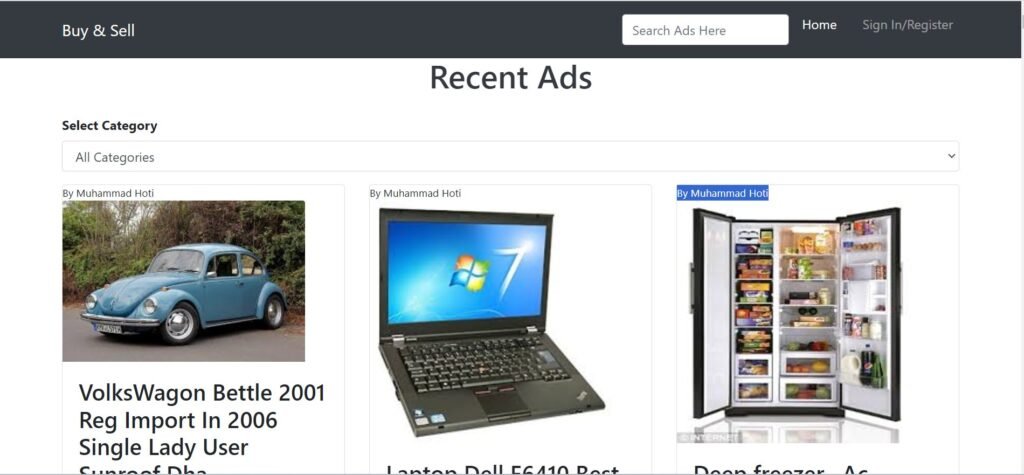

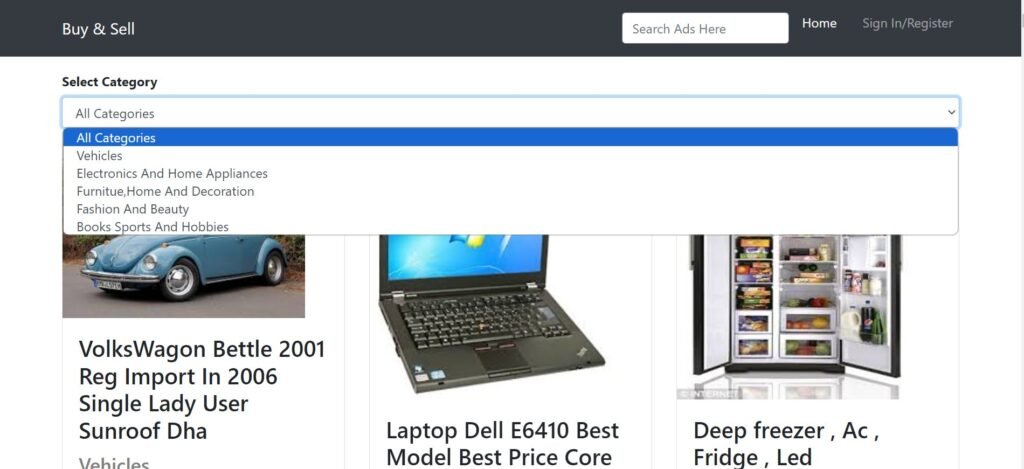
This Ecommerce website, built using JavaScript, provides a seamless and efficient platform for online buying and selling. Utilizing HTML, CSS, and JavaScript, the site delivers a smooth, user-friendly experience, making it easy for users to browse products, add items to their cart, and complete transactions. With a focus on functionality and simplicity, this project ensures a streamlined shopping process that benefits both the user and the seller.
For backend operations, the website leverages Firebase, a powerful cloud-based platform that handles critical tasks such as user authentication, data storage, and inventory management. An active internet connection is required to ensure full functionality, enabling real-time updates to product availability and user information. This integration of Firebase not only secures data but also enhances the efficiency of order processing and inventory control.
The site structure is built using HTML, providing a solid framework for the content, while CSS enhances the visual appeal with modern, responsive design elements. JavaScript plays a key role in managing interactivity, enabling features such as dynamic cart updates, product filtering, and seamless order processing. The combination of these technologies ensures a smooth and interactive shopping experience for users across all devices.
This project serves as a practical demonstration of how to create a functional and visually appealing ecommerce platform while gaining valuable experience in frontend development and cloud-based backend solutions. It highlights the importance of user experience (UX), responsive design, and secure data management in building successful online stores.
CSS: Design
JS: Frontend
You can run this project in the following operating systems:
Windows
MAC
Linux
Customer Registration.
Add to Cart System.
Checkout System.
Update Billing Address.
Search, Filter Products.
Product Categories.
Featured Products.
Latest Products.
Popular Products.
View Order History.
Update Customer Profile.
Manage Website Settings.
Manage Shop Settings.
Product Management.
Order Management.
Pending Orders.
Shipping.
Set up Image Sliders.
Set Shipping Charges.
Page Settings.
Set Social Media Links.
index.html file (or any other HTML file) and select “Open with Live Server.”http://127.0.0.1:5500 or similar.You get the full source files shown in "What's Included" above, ready to use in your own project.
Yes — personal and commercial use are both covered.
Reach out through the contact page and a real person on the WebPenter team will get back to you.
Gym System is a web-based PHP/MySQL app with an easy interface for users and a database for admin management.
What is Build Better In html Css Javascript Build Better in HTML, CSS, JavaScript is a framework designed to create well-structured, responsive, and feature-rich websites. It ensures seamless navigation, modern design, and user-friendly interactions, making it ideal for businesses and developers looking to enhance their web presence. Features of Build Better in HTML, CSS, JavaScript 1. Home Section – A Powerful First Impression Build Better in HTML, CSS, JavaScript starts...
Our Online Car Rental System makes renting a car easy from home, with user-friendly browsing, comparison, and booking.
In today’s fast-paced digital world, having an online presence for your Cycle Store Website is a game-changer. Whether you own a physical store or want to launch an online business, a well-designed website can help you reach more customers and boost sales. That’s why we’ve created a Cycle Store Website – a fully responsive and user-friendly platform for selling bicycles online. Why You Need a Cycle Store Website 🚴 Expand...